An update to PontaHR from May 14, 2026
A richer candidate view, more reliable emails, and custom platform emojis
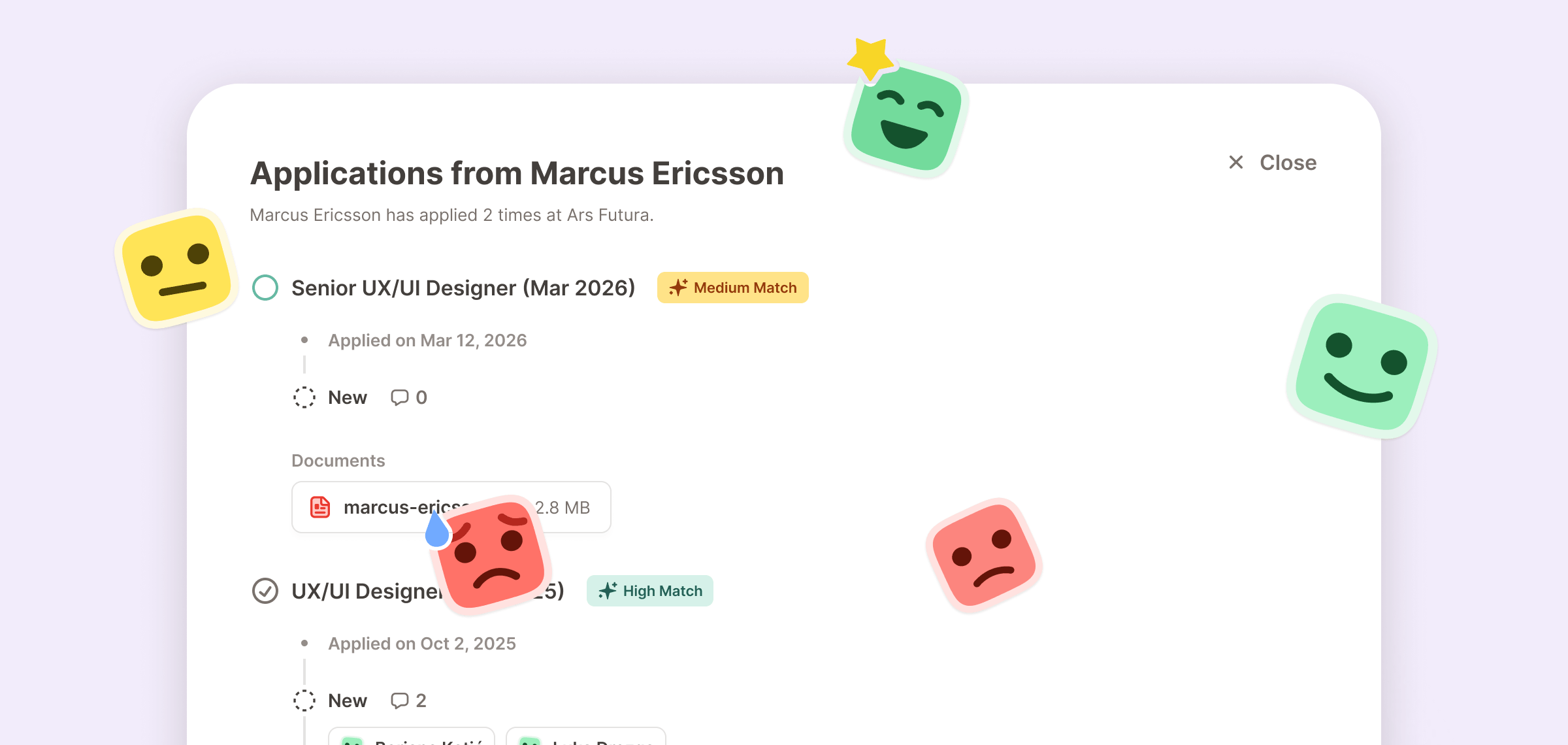
A few things this round to give you a clearer picture of candidates, keep your emails flowing reliably, and make PontaHR feel a bit more yours.
A richer view of candidate history
When you're reviewing a candidate, especially one who's applied to your company more than once, you should be able to see their full history at a glance. We've reworked the Candidate page to do exactly that.
Each application now renders as a compact vertical timeline showing:
- The job they applied to and when
- An AI match badge when the application was screened by the AI
- Every stage they went through, with comment counts, scorecards (click to expand the full thing), and rejection reasons when applicable
- All documents attached to the application (CV, cover letter, portfolio, and so on).
And on the Single Application page, if the candidate has applied to your company more than once, you'll now see a banner at the top. Tap "See Details" and we'll show you all of their timelines in one place, so you can see the full picture before making a call.
Better handling of email connections
Email integrations with Gmail and Outlook are central to how PontaHR works, so we spent some time making them more reliable. Fewer unexpected disconnects, smoother token handling under the hood.
We also tightened up what happens when something does go wrong:
- The Inbox icon stays visible in the navigation even when your account is disconnected, so you can get back in and reconnect quickly.
- If you're disconnected and you have scheduled emails queued up, we'll surface a warning on the Inbox icon and inside the page itself, so nothing slips through silently.
- Scheduled emails that couldn't be sent are now clearly flagged in the list, so it's obvious which ones need your attention.
Custom platform emojis
We've added a small set of platform emojis you can drop into PontaHR wherever you're typing. Six to start:
:ponta:for the Ponta logo:strong-yes:,:yes:,:maybe:,:no:,:strong-no:for our five scorecard rating stickers
Just type : in any rich-text field (comments, replies, scorecards, meeting notes, interview kits, email bodies) and you'll see them in the autocomplete.
This also sets the stage for something bigger: org-specific custom emojis are coming, so your team can upload your own set. More on that soon. 👀
Improvements and Fixes
- ⚡ Faster CV previews. We moved .docx rendering to the client, so resumes open instantly without round-tripping through the server.
- 📣 Pricing update. We've removed the free plan for new signups. Existing free workspaces are unaffected.
- 🔧 A handful of small polish and bug fixes across the app.
Like what you see?
We're continuously working on new things and improving existing ones. We'd love for you to have a say in what we're building next.
Request a Demo