.png)
Candidate screening software: a practical guide for small teams
How small teams can use AI summaries and shortlisting to spend less time sorting through CVs and more time talking to promising candidates.
Oct 19, 2026•6-min read
Getting applications is usually the part of hiring you worry about first. Then they start coming in, and soon you're faced with a hundred candidates and the realization that you now need to find time to read them all.
For a small team, that can be surprisingly difficult. The person reviewing CVs might also be running the business, looking after employees, or managing the team the new hire will join. It takes nothing more than a busy day, let alone a week, for applications to start piling up.
Candidate screening software helps with that first review. It organizes the information in each application and helps you work out which candidates to look at first and more closely. AI summaries and shortlisting can make this easier, provided you can understand the results and use your own judgment about who to interview.
Why reviewing applications takes so much time
Imagine you are at a 50-person company and receive 200 applications for an open role. That's encouraging, until you sit down to go through them between meetings.
Every CV is laid out differently. The detail you need might be buried halfway down the second page, and similar experience can come with very different job titles. By the time you've read a dozen, you're opening earlier applications again to remind yourself who did what.
The volume adds up, too. CareerPlug's 2025 recruiting report, based on hiring activity in 2024 across more than 60,000 small businesses, found an average of 180 applicants per hire. Around 3% of applicants were invited to interview. The numbers vary by industry, but they give a sense of how much reviewing happens before anyone gets on a call.
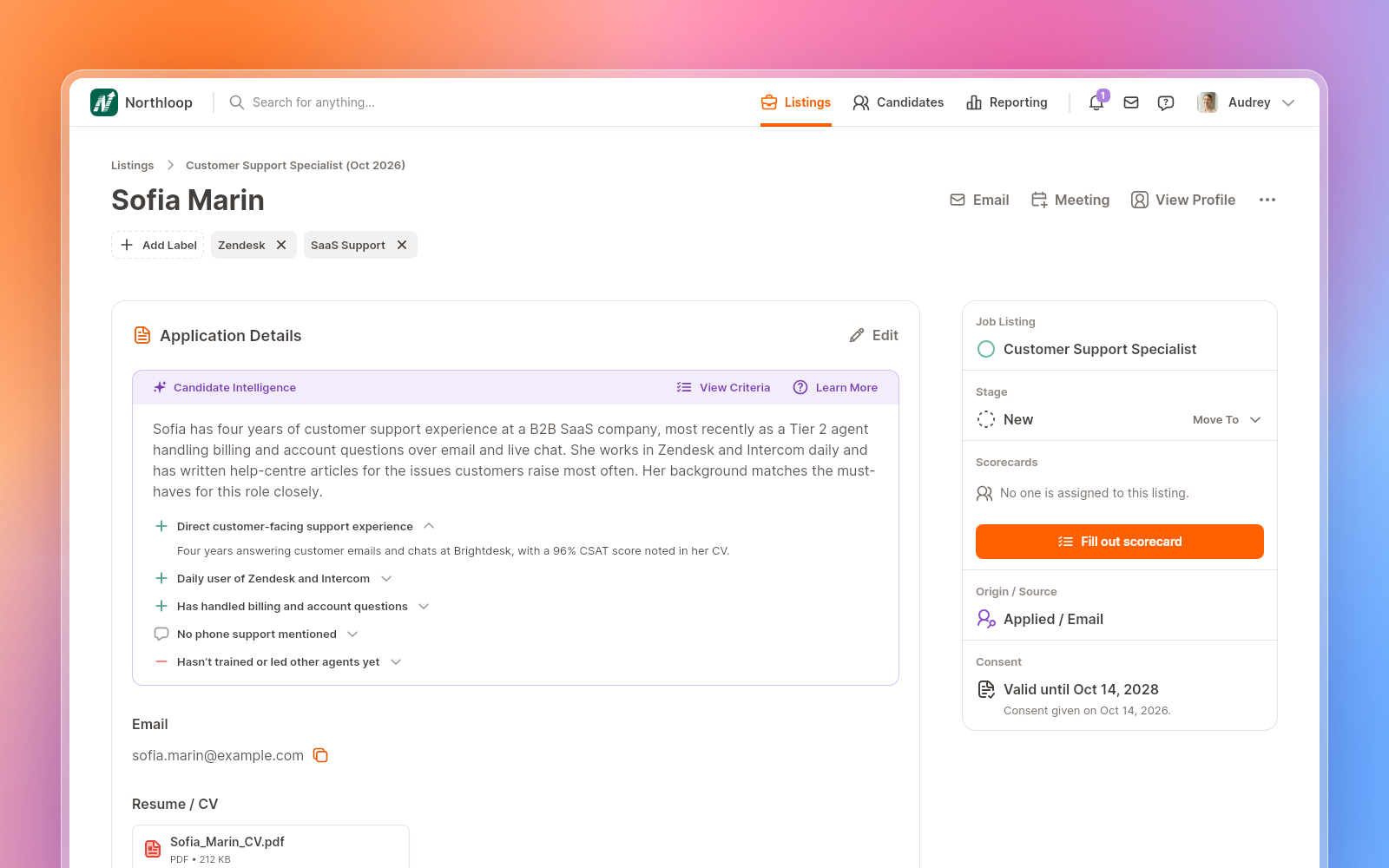
Even if you hire only a few people a year, each role can take hours of reading before you have a shortlist you're comfortable with.
What AI screening can help with
Two features are particularly useful at this stage: candidate summaries and AI shortlisting.
Candidate summaries
A candidate summary gives you a brief overview of someone's experience and how it relates to the role. It helps you get your bearings before diving into that person's full experience and capabilities.
For a customer support role, for example, you'd want to see whether the person has worked directly with customers, which tools they've used previously, and whether they've handled the kinds of questions your team deals with. A useful summary brings those details together so you can compare applicants more easily.
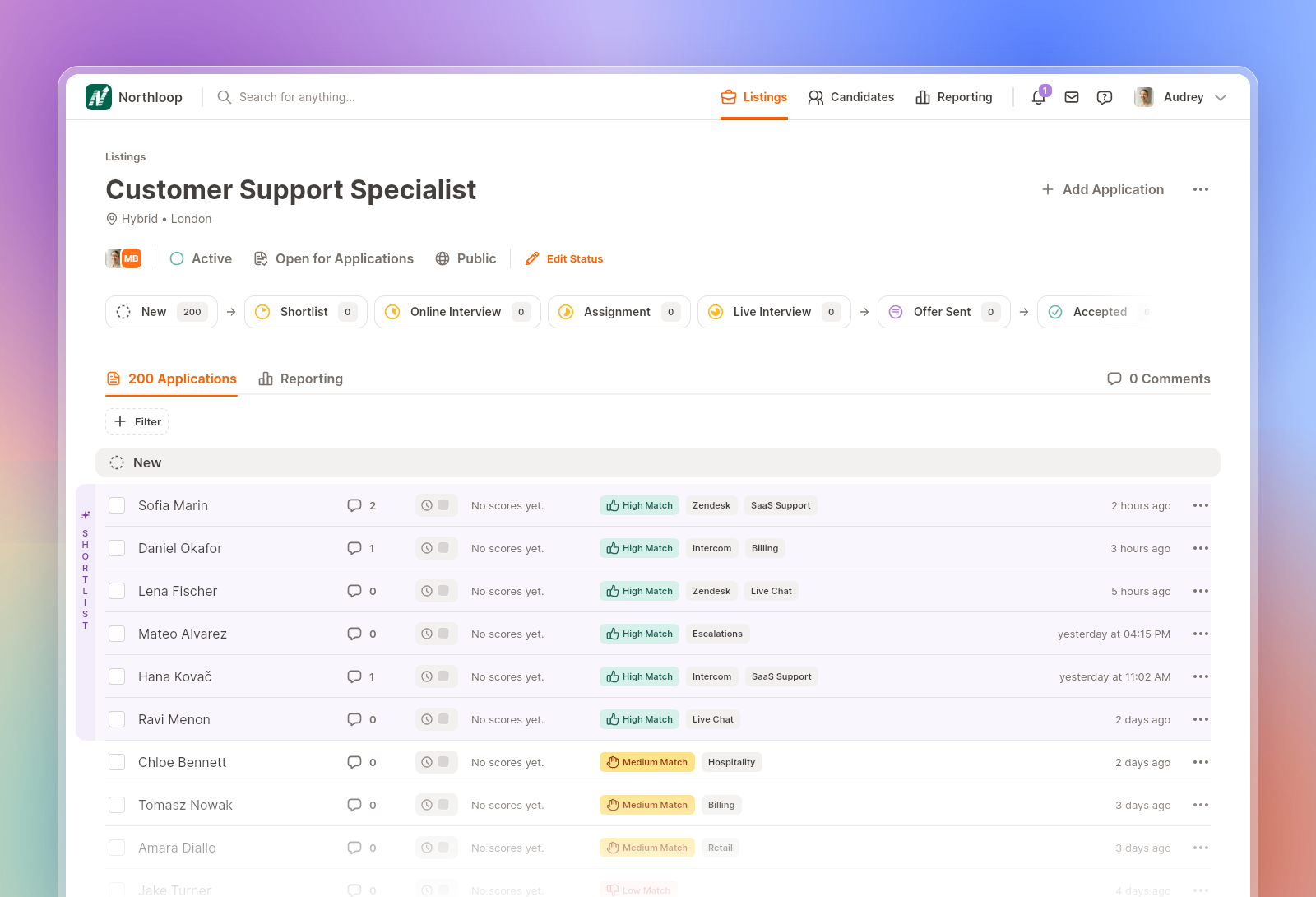
You'll still need to check the CV when something needs a closer look. The benefit is having enough context to know what you're looking for.
AI shortlisting
AI shortlisting compares applications against the role and brings likely matches to the top of the list. This gives you a place to start when a lot of people have applied.
That ranking deserves some scrutiny. Someone with an unusual career path might have relevant experience that the software misses. A polished CV might look like a stronger match than it turns out to be in conversation. And if your job description doesn't clearly explain what matters, the ranking may reflect the wrong priorities.
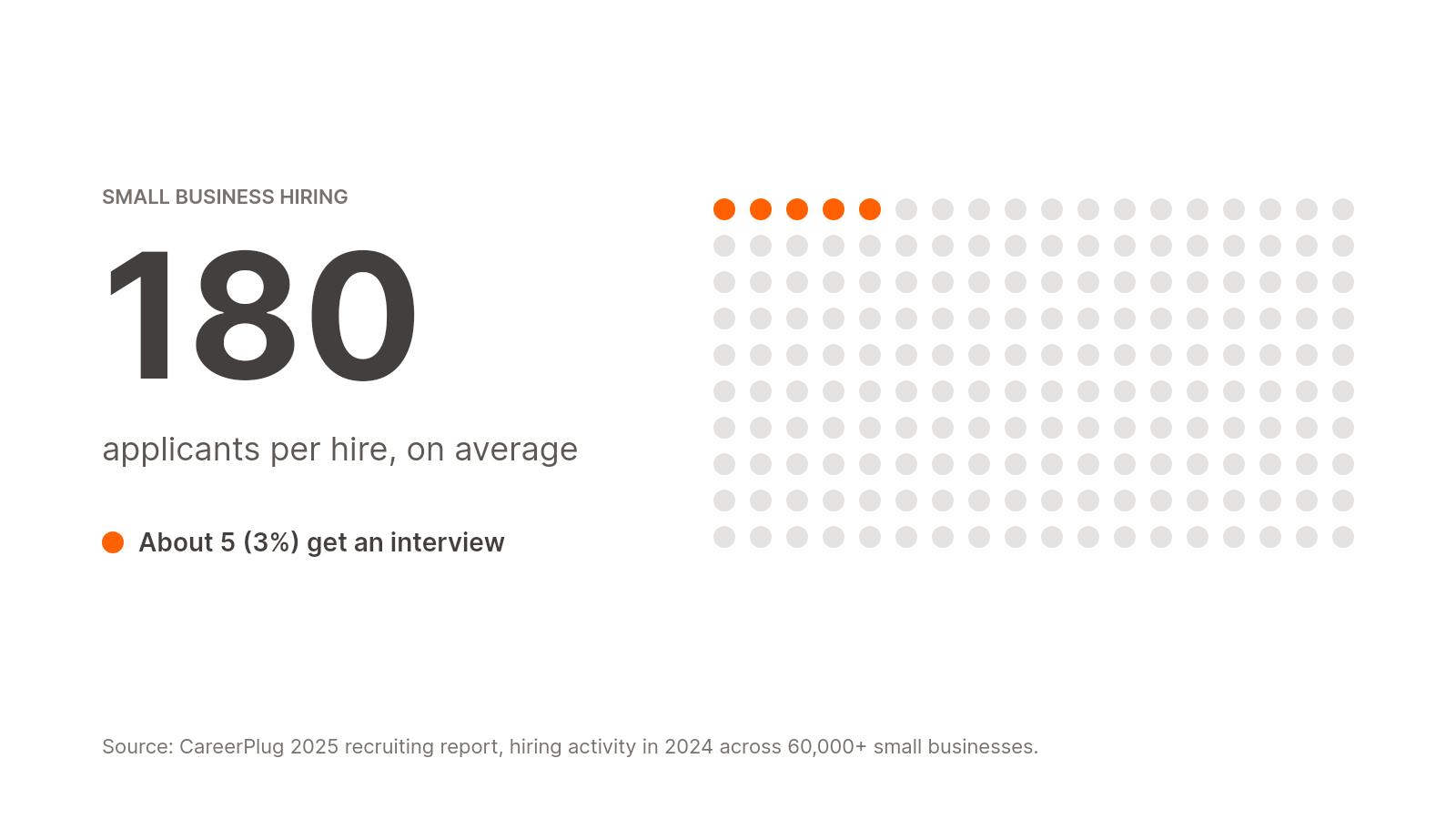
At PontaHR, we think these tools are most useful when they help you review applications and choose who to speak to. We wouldn't want a candidate ruled out simply because an AI put them near the bottom of a list.
What to look for in candidate screening software
If you're the only HR person in the company, or hiring alongside another job, the software needs to fit into the time you actually have. A few things are worth checking before you commit.
Summaries that help you make sense of an application
Look at the output during a demo. Does it pick out experience relevant to the role? Can you tell why a candidate has been ranked highly? How easy is it to open the original application and check a detail?
A summary that mostly repeats the CV won't save you much time. You should come away with a clearer understanding of the candidate and any questions you want to ask.
A setup your team can manage
Ask what it takes to get your first role live, bring in existing applications, and invite a hiring manager to review them. Those are the tasks you'll need straight away, so they're a better test than a long feature list.
It's also worth letting a colleague try the review process. If they can find an application, leave feedback, and move a candidate forward without much explanation, that's a good sign.
Pricing that makes sense for the way you hire
Check the cost with everyone who needs access included. A plan that looks affordable for one HR user can become more expensive when you add managers and interviewers.
Look at limits on active jobs and AI features as well. You want to know what you'll pay during a busy hiring month, not just while you're setting things up.
Clear answers about candidate data
Ask where applications are stored, who can access them, how deletion works, and whether candidate data is used to train AI models. If you hire in Europe, ask the vendor to explain how its product supports your data protection obligations.
These should be questions a vendor can answer clearly, with documentation you can review.
Screening also needs to work with the rest of your hiring process. An applicant tracking system keeps applications, feedback, and hiring stages together, so you can move from reviewing someone to arranging an interview without copying information between tools. If you're comparing options, our guide to AI recruiting tools for small businesses covers the wider picture.
Leave complicated hiring behind.
The all-in-one ATS that makes hiring faster, simpler, and genuinely enjoyable for your whole team.
How screening works in PontaHR
We built PontaHR for small teams that have outgrown spreadsheets and want an easier way to manage hiring.
Our AI candidate summaries and shortlisting give you an overview of each applicant and help you find likely matches for the role. You can review their applications, discuss them with your team, and arrange interviews in the same system.
Both Start and Grow include unlimited users and job listings. AI shortlisting and interview scheduling are included in Grow. You'll find the current rates and full plan details on our pricing page.
If reviewing applications is taking up more of your week than you'd like, we'd be happy to walk you through it in a demo. You can see what the summaries look like, how shortlisting works, and whether it would help with the next role you're hiring for.
Read more
↓

Best AI Recruiting Tools 2026: the SMB Version
Our shortlist for teams that hire 20 people a year, and not 2,000.
Oct 13, 2026•7-min read

Best European HR Conferences in 2026
Top picks for HR Professionals in the upcoming year.
Oct 9, 2025•5-min read

What Is Time-to-Hire and How to Reduce It
Explore one of the basic key performance indicators – the time it takes you to hire a candidate.
Mar 11, 2025•7-min read